Tag: visual studio

How to change the default local location for your Git repos in Team Explorer – 061

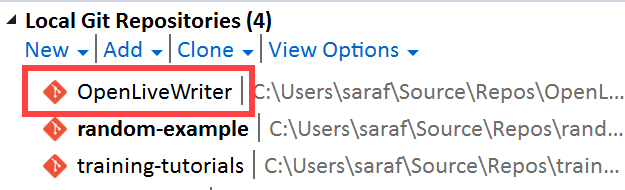
By default, Team Explorer sets your default location for your Git repos at \Users\<username>\Source\Repos, as seen in yesterday’s example
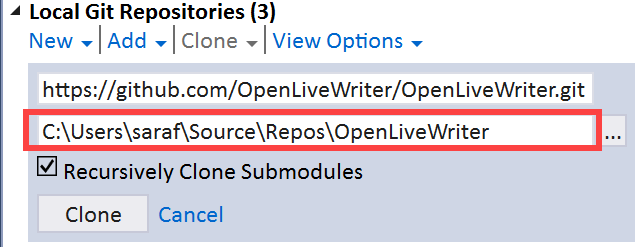
Local Git Repositories path in Team Explorer

If you want to change this location, perhaps to remove the Source directory from the path to save you a few extra clicks, you can go to Team Explorer – Settings
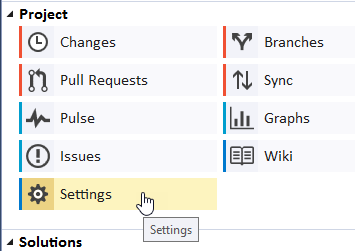
Team Explorer - Settings

and then click Git – Global Settings

Git - Global Settings

From there you can change the path.
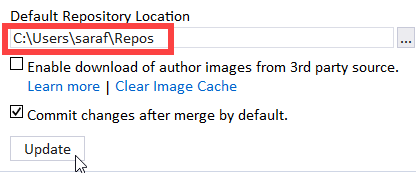
updated default repository location

Notes:

  1. This change only affects new cloned projects moving forward. Your previously cloned repos will remain in their original directory.
  2. GitHub Desktop uses a different repo (\Users\<username>\Documents\GitHub) than Visual Studio. This change in Team Explorer doesn’t change the default location in GitHub Desktop. If you want both GitHub Desktop and Team Explorer to use same location, you’ll need to change the default location in GitHub Desktop as well.

How to clone a public GitHub repository without signing into GitHub from Visual Studio – 060

I didn’t realize you could do this in Team Explorer. But now that I think of it, of course you should be able to. *runs and hides from team explorer people I know.*

Go to View – Team Explorer. Click the green outlet plug button for Manage Connections.

 Manage Connections

Now under Local Git Repositories, click Clone.

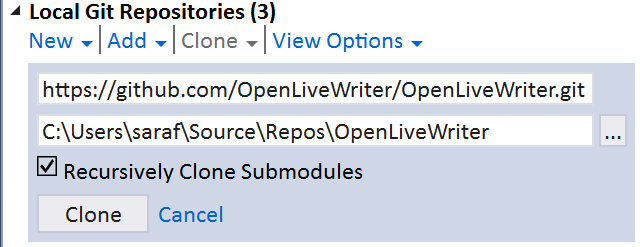
Copy and paste the Clone URL from the GitHub website, e.g. here’s the clone path for Open Live Writer.

As soon as you paste it in, you’ll see the local path update from NewRepo to the name of repo.

Clone button in Team Explroer for a public GitHub repo

And click Clone. (And wait a bit if you are pulling down Open Live Writer over Starbucks WiFi… d’oh!)

OpenLiveWriter now appearing in list of local git repos

For the non-Windows folks following along at home, this is the command line equivalent of

git clone https://github.com/OpenLiveWriter/OpenLiveWriter.git

We’ll talk about submodules later in this series, probably over the summer 🙂